IngramSpark can put your book in more than 40,000 bookstores, libraries, and online retailers worldwide — but only if your files survive its famously strict preflight. Where KDP will quietly paper over a sloppy margin, IngramSpark rejects the file and sends you an error report. Here’s how to format a book for IngramSpark without the trial and error: the exact trim sizes, bleed, PDF settings, cover math, and metadata the platform demands in 2026.
By the end, you will know which trim size and paper stock to choose, how to set bleed, margins, and gutter, how to export a PDF/X-1a with embedded fonts, how to calculate spine width, what ISBN choices IngramSpark expects, and how to fix the five rejection errors almost every first-timer hits.
Quick answer: To format a book for IngramSpark print in 2026, set your document to an IngramSpark-supported trim size (6 x 9 inches is the default workhorse), add 0.125 inches of bleed on all sides for full-bleed art, keep text at least 0.5 inches from the trim, export the interior as PDF/X-1a:2001 with all fonts embedded and subset, use 300 DPI images at final print size, build the cover as one PDF (back + spine + front) using the spine width from IngramSpark’s calculator, and register the title with your own ISBN.
In this guide
- Why IngramSpark Is Stricter Than KDP (and Why That’s Good)
- Choosing Your Trim Size
- Bleed, Margins, and Gutter Math
- Interior File Specs: Fonts, Images, and Page Furniture
- Exporting a Print-Ready PDF/X-1a
- Cover Specs and Spine Math
- Title Setup: ISBN, Imprint, and Metadata
- IngramSpark vs KDP Print: The Real Differences
- Common Rejection Reasons and How to Fix Them
- Frequently Asked Questions
- Conclusion: Pass Preflight the First Time
Why IngramSpark Is Stricter Than KDP (and Why That’s Good)
IngramSpark is a wholesale distributor, not a retailer. Your files feed print-on-demand machines in the US, UK, Australia, and beyond, so every file goes through an automated preflight that checks fonts, bleed, transparency, and page size before a single copy prints. KDP was built for authors uploading Word documents; IngramSpark was built for the book trade. The strictness is the price of bookstore distribution — and once you understand the checklist, it stops feeling strict and starts feeling predictable.
What the strictness buys you is real: global distribution to bookstores and libraries, the returns program bookstores require before they stock you, hardcover, paperback, and ebook in one dashboard, and full control of your ISBN and imprint. A file that passes IngramSpark’s preflight the first time is print-ready anywhere.
Choosing Your Trim Size
Your trim size is the finished page size of the book, and it is the first decision that locks everything else: margins, cover dimensions, and spine width all derive from it. IngramSpark supports a fixed menu of trim sizes, and changing the trim later means a new title setup and a new ISBN — so choose deliberately now. The 6 x 9 inch trim is the default workhorse for novels, memoirs, and general nonfiction: economical to print, comfortable to hold, and roomy enough for chapter ornaments and the occasional illustration.
Pair the trim with the right paper stock. White 50 lb paper gives crisp contrast for text-heavy books; cream 50 lb is the classic novel stock, easier on the eyes; standard color 70 lb is required for books with color interiors. Your stock choice changes the spine width calculation — cream runs slightly thicker than white — so lock the stock before you build the cover.
Bleed, Margins, and Gutter Math
Bleed is extra artwork that extends past the trim edge so the guillotine never leaves a white sliver. IngramSpark requires 0.125 inches of bleed on all four sides for any element that touches the page edge — a full-bleed chapter header, a background wash, a photograph that runs to the edge. Build your document at the exact trim size, then extend only the full-bleed art 0.125 inches beyond on each side. Never add printer’s marks, crop marks, or color bars to the file: IngramSpark adds its own, and yours will trigger a rejection.
Margins are your safety zone. Keep all text at least 0.5 inches from the trim on every side, and scale the inside (gutter) margin with page count: 0.75 inches under 150 pages, 0.875 inches up to 300 pages, and a full 1 inch for thick books where perfect binding swallows the gutter. Set outside, top, and bottom margins between 0.5 and 0.75 inches. These numbers are not suggestions — text that sits closer than 0.5 inches to the trim risks being clipped, and IngramSpark’s preflight flags it.
The gutter deserves its own math because perfect binding curves the page into the spine — the wider inside margin evens out the cramped look on binding-side pages. Two more rules: no running heads or page numbers on chapter-opening pages, and mirror your margins so the wider gutter always falls on the binding side of each spread.
Interior File Specs: Fonts, Images, and Page Furniture
When you format a book for IngramSpark, build the interior for print first and adapt for ebook second — our print vs ebook formatting comparison explains the trade-offs in detail. Every font in the file must be embedded and subset in the PDF: use licensed fonts with full character sets, a readable serif such as Garamond or Minion Pro at 10.5 to 11.5 points for body text, and set body text as 100% black (K) rather than rich black, which can misregister on text. Never use unlicensed “free” fonts with missing glyphs — a missing em-dash in the PDF is a missing em-dash in ten thousand copies.
Images must be 300 DPI at their final printed size, in CMYK or grayscale — photographs, illustrations, and diagrams alike. Line art and fine maps need 600 DPI or more to stay crisp. RGB images will shift color when the export flattens them to print color, so convert and proof them before you finalize. Caption every figure, center it at column width, and keep it anchored near its first mention so the print layout never separates an image from the paragraph that explains it.
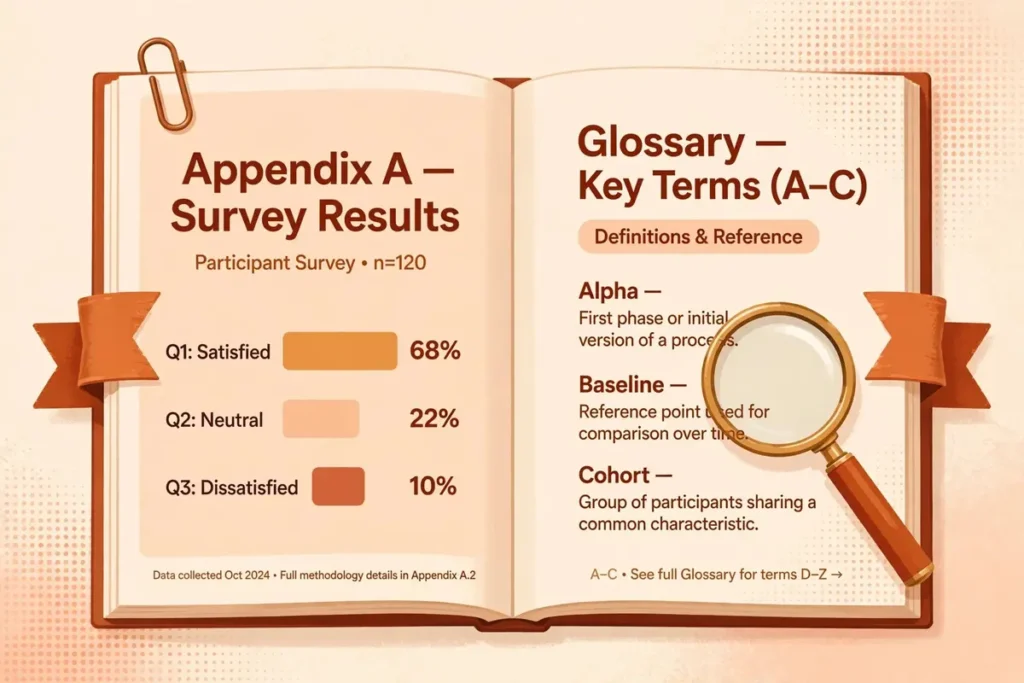
Page furniture — the front matter, chapter openers, and back matter — should follow the trade order: title page, copyright, dedication, table of contents, then chapters, then appendices, notes, and about the author. A print-ready interior means properly ordered front and back matter too: our appendix and glossary formatting guide covers the mechanics, and our military sci-fi formatting guide shows a complete worked example of a print-ready interior with back matter.
Exporting a Print-Ready PDF/X-1a
IngramSpark requires the interior as PDF/X-1a:2001, the print industry’s archival exchange format: it embeds and subsets every font, flattens transparency and live effects, and locks the color space. Export from InDesign, Affinity Publisher, or Word’s PDF engine with the PDF/X-1a:2001 preset, as single pages — never as printer’s spreads — with an even page count (add a blank page at the end if needed).
- PDF/X-1a:2001 preset selected, single pages, not spreads
- All fonts embedded and subset, no missing glyphs
- Transparency flattened, no live shadows or glows left unflattened
- 0.125 inch bleed on all sides where art touches the edge
- No printer’s marks, crop marks, or color bars in the file
- Even page count, document at exact trim size
- Images at 300 DPI at final size, CMYK or grayscale
Cover Specs and Spine Math
IngramSpark takes the cover as a single one-piece PDF: back cover, spine, and front cover laid out as one spread, with 0.125 inches of bleed on all four outer edges. The full cover width is back-cover width + spine width + front-cover width + 0.25 inches of total bleed. The fastest route is IngramSpark’s own cover template generator: enter your trim size, page count, and paper stock, and it returns a template with the spine area marked. Build on that template and the math is already right.
Spine width is page count multiplied by the paper’s per-page thickness, and it must match your final interior page count exactly — re-export the cover if the manuscript grows. The standard figures:
Two cover rules trip up beginners: leave the lower-right corner of the back cover empty, because IngramSpark places the barcode there, and skip spine text on thin spines under about 0.3 inches rather than setting type the printer cannot hold. Cover art should be 300 DPI at final size, just like interior images.
Title Setup: ISBN, Imprint, and Metadata
Every format needs its own ISBN: one for the paperback, one for the hardcover, one for the ebook. Buy your own ISBNs from your national agency (Bowker in the US) and use the same paperback ISBN on both IngramSpark and KDP — an ISBN identifies the edition, not the printer, so one ISBN per format across platforms is correct. Free ISBNs tie the title to a single platform and list that platform as the publisher, which costs you the professional imprint bookstores look for.
Set an imprint name — your publishing company name — during title setup; it appears in retail listings and on the copyright page. Then complete the metadata IngramSpark pushes to retailers: a BISAC subject code, a retail-ready description, your list price, and a publication date. Finally, decide on returns: enabling returns is what makes bookstores willing to stock a print-on-demand title.
IngramSpark vs KDP Print: The Real Differences
Most serious self-publishers end up using both platforms: KDP for Amazon, IngramSpark for everywhere else. The files are nearly identical — same trim, same interior — but the platforms differ in what they demand and what they deliver.
The practical takeaway: format once to IngramSpark’s stricter standard, and the same interior will sail through KDP. Going the other direction — formatting loosely for KDP and hoping IngramSpark accepts it — is how most rejection emails are born.
Common Rejection Reasons and How to Fix Them
Nearly every IngramSpark rejection traces back to five fixable file problems — here is what each one means and the exact fix.
Fonts not embedded. The preflight found text referencing fonts that are not inside the PDF. Fix: re-export with the PDF/X-1a:2001 preset, which embeds and subsets every font automatically, and confirm no “do not embed” exceptions are set.
Transparency or live effects. Drop shadows, glows, or layered transparency survived the export. Fix: flatten them — the PDF/X-1a preset does this — or rasterize the offending elements at 300 DPI before exporting.
Missing bleed or printer’s marks present. Full-bleed art stops at the trim, or crop marks were left in the file. Fix: extend full-bleed art 0.125 inches past the trim on every side, and strip all printer’s marks from the export.
Spine width mismatch. The cover’s spine does not match the interior page count. Fix: recount the final interior pages after the last edit, regenerate the cover template, and re-export the one-piece cover.
Low-resolution images. An image falls below 300 DPI at its printed size. Fix: replace it with a higher-resolution source or shrink it on the page until it hits 300 DPI — never upscale, which only fakes the number.
Frequently Asked Questions
Conclusion: Pass Preflight the First Time
Once you know how to format a book for IngramSpark, the platform stops being intimidating and starts being mechanical: lock the trim size, set bleed at 0.125 inches and margins at 0.5 inches minimum, embed every font, keep images at 300 DPI, calculate the spine from the final page count, and export PDF/X-1a. Do that and your file passes preflight the first time — and your book earns its place in the 40,000 stores and libraries IngramSpark reaches.
Get your book IngramSpark-ready without the rejections
ArrowUpz prepares print files to IngramSpark’s exact spec: correct trim and bleed, PDF/X-1a interiors with embedded fonts, one-piece covers with accurate spine math, and ISBN and imprint setup that reads like a real publisher.
Basic Formatting — $97 per book
Professional Formatting — $147 per book
Premium Formatting — custom quote